 ultimate-guide
Digital Legacy Planning for Families: A 2026 Guide
Table of Contents
- What Is Digital Legacy Planning?
- Identifying and Organizing Your Digital Assets
- Building Your Digital Estate Planning Checklist
- Using Digital Legacy Templates for Families
- How to Manage Digital Assets After Death
- Legal Considerations and Estate Planning Integration
- Communicating Your Digital Legacy Plan to Family
- Frequently Asked Questions
Last Updated: August 17, 2026
What Is Digital Legacy Planning?
Digital legacy planning is the process of organizing, documenting, and preparing your online accounts, digital assets, and personal information so your family can access and manage them after you're gone. Unlike a traditional will, which addresses physical property, digital legacy planning focuses on email accounts, social media profiles, cloud storage, cryptocurrency, photos, documents, and online financial records.
Most families don't know how to handle these accounts when someone passes away. Many platforms have strict privacy policies that prevent family members from accessing a loved one's data without explicit permission. Without a clear plan, your family may lose access to irreplaceable photos, important documents, or financial information. Digital legacy planning bridges that gap by giving your loved ones both the information and the legal authority they need.
At My Living Legacy Course, we recognize that a comprehensive digital legacy plan is the essential companion to your will. While your will addresses your property and estate, your digital legacy plan provides the practical, immediate guidance your family needs when dealing with grief and administrative chaos.
Identifying and Organizing Your Digital Assets
The first step in creating a meaningful digital legacy plan is understanding what you actually own and control online. Most people vastly underestimate the scope of their digital footprint.
Start by thinking broadly about categories: financial digital assets (bank accounts, investment accounts, cryptocurrency wallets, PayPal, Venmo); communication accounts (email, messaging apps); creative and sentimental assets (photos on cloud storage, videos, documents, family trees); service accounts (Netflix, Spotify, subscriptions); and social media (Facebook, Instagram, LinkedIn, Twitter, TikTok).

The emotional weight of these assets varies enormously. A cryptocurrency wallet might represent significant financial value. Your email account might contain years of correspondence with loved ones. Your photo library might be the only digital record of family memories.
Types of Digital Assets to Document
Financial digital assets require immediate attention because they often have real monetary value. Bank accounts, investment accounts, retirement accounts, cryptocurrency, and digital payment services all need to be documented with access information. Many families discover months after a death that significant funds were locked in accounts no one could access.
Communication and identity assets include email accounts, which often serve as the master key to recovering access to everything else. Your email is typically the key that resets passwords for other services.
Creative and sentimental assets comfort families most. Photo libraries on Google Photos, iCloud, or Amazon Prime Photos; videos of you telling stories; documents like letters, recipes, or family histories; genealogy research on Ancestry.com hold irreplaceable memories.
Social media and online presence accounts represent how you're remembered and discovered by people outside your immediate family. Facebook memorial pages, LinkedIn profiles, Instagram feeds, and personal websites become places where people gather to remember and share.
Creating a Digital Inventory
Create a documented record listing every account, platform, and service you use. Use a simple format: account name, what it's used for, the username or email associated with it, and where the password is stored. You don't need to write down actual passwords; instead, note whether the password is stored in a password manager, written down somewhere secure, or needs to be reset using account recovery options.
Organize by category: financial accounts, email and communication, social media, creative and storage, subscriptions and memberships. As you go through each category, you'll likely discover accounts you'd completely forgotten about. Mark any accounts that are particularly important for your family to know about quickly, such as cryptocurrency wallets with substantial assets or insurance policies with digital records.
Building Your Digital Estate Planning Checklist
A digital estate planning checklist transforms the overwhelming task of digital legacy planning into a concrete, step-by-step process. It keeps you organized, gives your family a clear roadmap, and prevents the paralysis that comes from not knowing where to start.
Essential Items to Include
Your checklist should begin with immediate access information: the location of your physical will and legal documents, names and contact information for your executor, financial advisor, attorney, and key family members, and the location of physical security items like safe deposit box keys.
Next comes account inventory information organized by category: financial, communication, social media, creative assets, and subscriptions. Your checklist should address password and access credentials. Decide whether passwords will be stored in a password manager that your executor can access, written down and sealed in an envelope, or shared through a service designed for digital legacy management.
The checklist should include decisions about what should happen to each account after you die. Some accounts you'll want memorialized (Facebook allows this). Some you'll want deleted. Some you'll want your family to maintain. Thinking through these decisions now is an act of tremendous care.
Securing Passwords and Access Credentials
A password manager is the most secure and practical solution for most people. Services like Bitwarden, 1Password, or Dashlane allow you to store all your passwords in one encrypted location. You can then give your executor access to the password manager itself, rather than having to write down or share individual passwords.
Make sure your executor knows which service you use and how to access it. Write down the master password to your password manager in a secure location, perhaps a sealed envelope with your will or in a safe deposit box.
For accounts that use two-factor authentication, document how your executor can get past that second verification step. Some accounts allow you to generate backup codes that can be used if you lose access to your phone. Print these codes and store them securely.
Using Digital Legacy Templates for Families
Digital legacy templates provide a structured framework for organizing your digital life. Rather than starting from scratch, a template guides you through the major categories and decisions you need to make. Templates ensure you don't forget important accounts and reduce the time and mental energy required to complete your plan.
What Templates Should Cover
A comprehensive template should start with personal and contact information: full legal name, date of birth, Social Security number, and the names and contact information of your executor and key family members.
The template should include a complete account inventory organized by category. For financial accounts, list bank accounts, investment accounts, retirement accounts, insurance policies, cryptocurrency, and any other financial assets. For each account, note the institution name, account number, username, and where the password is stored.
For communication and identity accounts, list email addresses, messaging apps, and any other communication platforms. Email is crucial because it's often the master key to resetting passwords on other accounts.
For social media and online presence, list every platform where you maintain an active presence. For each one, note whether you want it memorialized, deleted, or maintained by your family.
For creative and sentimental assets, list photo storage services, document repositories, genealogy accounts, and any other places where you store meaningful content.
The template should include a section on your wishes for each account. For your email, do you want it memorialized or deleted? For your social media, do you want your family to be able to post remembrances? For your photos, do you want them printed and distributed, or kept in digital storage?
How to Manage Digital Assets After Death
When someone dies, their digital assets don't automatically pass to their heirs the way physical property does. Each platform has its own policies about what happens to accounts. Some allow memorialization, where the account is preserved as a memorial page. Some allow account closure. Some require proof of death before they'll take any action.
Designating a Digital Executor
Your digital executor is the person responsible for managing your digital assets after you die. This might be the same person who's your executor for your physical will, or it might be someone different. The key is choosing someone your family trusts and who is willing to take on this responsibility.
Your digital executor needs to know they're your digital executor and what that responsibility entails. They need to know where to find your digital legacy plan and account inventory. They need to have access to your password manager or the passwords themselves. They need to understand your wishes for each account.
Have a conversation with your digital executor before you finalize your plan. Make sure they're willing to take on this role. Walk them through your digital legacy plan so they understand what's involved. This conversation prevents the scenario where your family discovers your plan but has no idea who's supposed to implement it.
Your digital executor's job begins immediately after your death. They need to notify key institutions of your death, secure your email account (the master key to everything else), and work through your account inventory according to your wishes.
Platform-Specific Memorialization Policies
Facebook allows family members to request that an account be memorialized. A memorialized account becomes a permanent tribute page where friends and family can share memories. To request memorialization, Facebook requires a death certificate or obituary. Alternatively, you can designate a legacy contact before you die who will have limited access to your account and can decide whether to memorialize it or request deletion.
Google accounts (Gmail, Google Photos, Google Drive) can be managed through Google's Inactive Account Manager. You can set it up so that after a period of inactivity, your account and data are either deleted or transferred to a trusted contact.
Instagram allows you to designate a legacy contact who can memorialize your account or request its deletion after your death.
Twitter (now X) allows you to request account memorialization or deletion. The process requires proof of death.
For financial accounts and cryptocurrency, policies are different and often more restrictive. Banks typically require a death certificate and proof of executor authority before granting access. Cryptocurrency exchanges vary widely in their policies.
Legal Considerations and Estate Planning Integration
Digital legacy planning intersects with estate planning and probate law in ways that many people don't fully understand. Your digital legacy plan should work in concert with your will, not replace it. Your will addresses your physical property and financial assets. Your digital legacy plan addresses how your family should manage your digital presence and access your online life.
Some digital assets have legal value that needs to be addressed in your will. If you own a domain name or website, that might have monetary value. If you have a business presence online, that needs to be managed carefully. If you have digital intellectual property, your will should address that explicitly.
Understanding RUFADAA and Your Rights
The Revised Uniform Fiduciary Access to Digital Assets Act (RUFADAA) is a model law adopted by many states. It addresses how fiduciaries, executors, trustees, and guardians can access digital assets on behalf of the people they represent.
RUFADAA gives executors the right to access digital assets if they can demonstrate their authority. This is important because it means your executor doesn't have to rely solely on platform policies. They can present your will and a court order to gain access to accounts that platforms might otherwise keep locked.
You can strengthen your executor's position by explicitly addressing digital assets in your will. Rather than relying on RUFADAA, state in your will that your executor has the right to access your digital assets and that you've given them the information they need to do so.
Cryptocurrency and Decentralized Assets
Cryptocurrency and other decentralized digital assets present unique challenges for digital legacy planning. Unlike a bank account that a bank can access with proper documentation, cryptocurrency is controlled by private keys that only you possess. If your family doesn't have access to your private keys, they have no way to recover your cryptocurrency.
Your digital legacy plan needs to explicitly address any cryptocurrency you own. Document which exchanges or wallets you use, what assets you hold, and how your family can access them. If you use hardware wallets or self-custody solutions, write down your seed phrases and private keys. Store these securely, perhaps in a safe deposit box or with your will.
Consider whether you want your cryptocurrency to pass to your heirs as part of your estate, or whether you want it liquidated and converted to cash.
Communicating Your Digital Legacy Plan to Family
Creating a digital legacy plan is only half the battle. The other half is making sure your family actually knows about it and understands what it says.
Many people create digital legacy plans and then don't tell anyone about them. When the person dies, the family has no idea the plan exists. All the work of creating it is wasted.
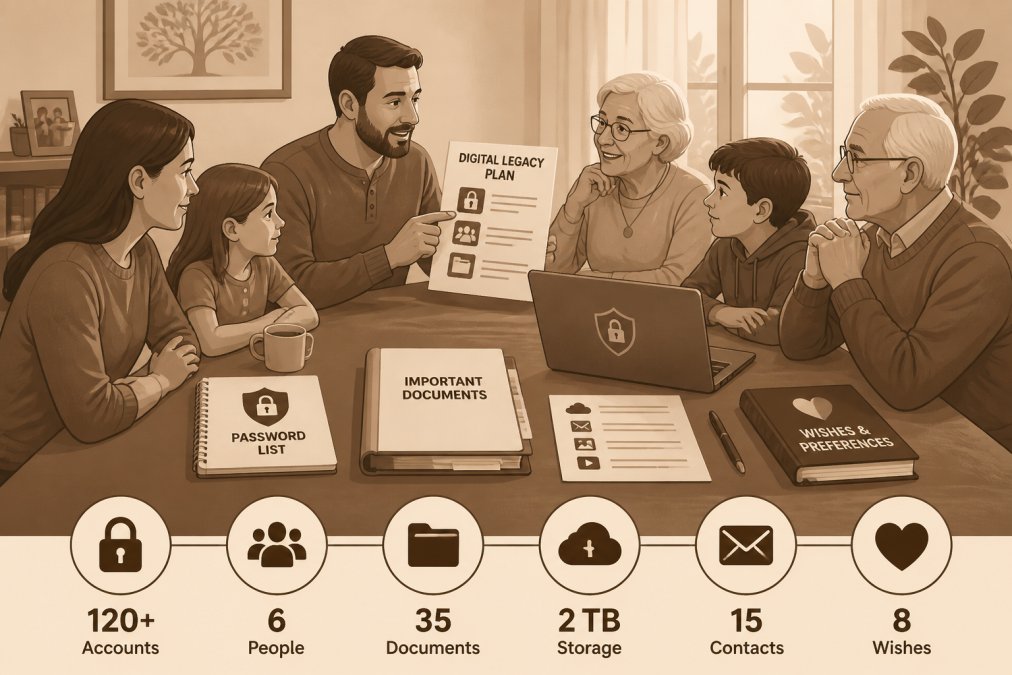
Communicating your plan to your family ensures they know it exists and where to find it. It gives them a chance to ask questions and understand your wishes. It normalizes the conversation about death and digital assets, which reduces the awkwardness and fear many families feel around these topics.
The conversation doesn't have to be formal. Many families find it helpful to frame it as part of broader estate planning conversations. "I've been organizing my affairs and thinking about what would help you if something happened to me. I've created a digital legacy plan that documents my online accounts and my wishes for how to handle them. I'd like to walk you through it."
Tell your family where your digital legacy plan is stored and how they can access it. If it's in a password manager, tell them the name of the service. If it's a document, tell them where it's located. If it's with your attorney or in a safe deposit box, tell them that too.
Give your family members a chance to ask questions. Many people have concerns about privacy. These are legitimate concerns, and addressing them directly reduces anxiety.
Consider scheduling an annual check-in on digital legacy planning. Once a year, review your plan together, update it as needed, and confirm that everyone still understands the arrangement. This keeps the plan current and ensures that if circumstances change, you're adjusting your plan accordingly.
Creating a comprehensive digital legacy plan is one of the most valuable gifts you can give your family. It provides them with the practical information they need to manage your digital assets and honors your wishes for how your online presence should be handled after you're gone.
The process requires thoughtfulness and organization, but it's manageable when you break it into steps. Start by identifying your digital assets. Create an inventory. Decide how you want each account handled. Secure your passwords and access credentials. Document everything clearly. Communicate your plan to your family. Review and update it annually.
My Living Legacy Course provides a structured, guided framework for completing this work. Through seven comprehensive modules and over 420 reflective prompts, the course walks you through every aspect of digital legacy planning. It helps you think through not just the technical details but also the emotional and relational dimensions of passing down your story and wishes. With lifetime access, you can work through the course at your own pace, creating a legacy that truly informs and comforts those you cherish.
| Digital Legacy Planning Component | Purpose | Who Needs It |
|---|---|---|
| Digital asset inventory | Complete list of all accounts and services | Your executor and immediate family |
| Password documentation | Secure access to accounts | Your executor and designated contacts |
| Account wishes documentation | Instructions for memorializing or deleting accounts | Your executor and platform representatives |
| Executor designation | Clear assignment of responsibility | Your family and legal records |
| Communication to family | Ensuring family knows the plan exists | Everyone in your family |
Frequently Asked Questions
What is digital legacy planning and why does my family need it?
Digital legacy planning is the process of organizing, documenting, and securing access to your online accounts, digital assets, and personal information so your family can manage them after your death. Beyond a legal will, digital legacy planning ensures your loved ones have clear instructions for social media accounts, email, cloud storage, cryptocurrency, and sentimental digital files. This reduces confusion, protects your privacy, and preserves memories that matter most to your family.
What counts as a digital asset in an estate plan?
Digital assets include email accounts, social media profiles, cryptocurrency and blockchain holdings, cloud storage (photos, documents, videos), online banking and investment accounts, websites or blogs you own, domain names, digital subscriptions, loyalty programs, and intellectual property like digital artwork or writing. Less obvious assets include cryptocurrency wallets with private keys, NFTs, online business accounts, and stored passwords. A complete digital estate planning checklist should account for all of these to prevent loss or unauthorized access.
How do I grant my family members access to my digital accounts?
Use a password manager with emergency access features to securely share credentials with your designated digital executor or beneficiaries. Document account usernames, security questions, and two-factor authentication recovery codes in a separate secure location. For financial or cryptocurrency accounts, provide written instructions on how to prove your death and request account transfer. Avoid sharing passwords through email or text. Update access permissions annually and inform your executor where all this information is stored.
What happens to my social media accounts after I die?
Most platforms like Facebook, Instagram, and Google have memorialization policies. Facebook allows family members to request account memorialization or deletion after providing a death certificate. Twitter may delete inactive accounts or allow authorized family members to request account closure. Some platforms delete accounts entirely. Without instructions from you, your family may struggle to prove authorization. Document your preferences for each account in your digital legacy templates for families, specifying whether you want accounts memorialized, deleted, or transferred.
Is my digital legacy protected under RUFADAA?
The Revised Uniform Fiduciary Access to Digital Assets Act (RUFADAA) has been adopted by most states and provides a legal framework for fiduciaries and family members to access digital assets after death. However, RUFADAA protections vary by state and may conflict with platform terms of service. Your digital executor will have stronger legal standing if your will explicitly authorizes them to manage digital assets and you've documented your digital inventory. Consult an estate planning attorney to ensure your wishes align with your state's specific RUFADAA provisions.
How can I organize my digital life so my heirs don't feel overwhelmed?
Create a clear, prioritized digital inventory that lists only essential accounts and assets your family genuinely needs to access. Organize information by category: financial accounts, social media, cloud storage, and personal files. Use digital legacy templates for families to standardize the format. Include step-by-step instructions for accessing each account and explain why each asset matters. Label accounts by priority so your executor knows what to handle first. Keep the document updated annually and store it securely in one central location your family knows about.
What should I do about cryptocurrency and digital wallets in my estate plan?
Cryptocurrency and decentralized assets present unique challenges because private keys cannot be recovered if lost. Document the location of all hardware wallets, exchange accounts, and backup seed phrases in a secure, separate location accessible only to your digital executor. Provide clear written instructions on how to access and transfer these assets, including the specific exchange or wallet platform. Consider whether you want assets transferred to heirs or liquidated. Consult a financial advisor familiar with crypto estate planning to ensure your wishes are legally documented and technically feasible.
How do I choose a digital executor for my family?
Select someone you trust completely with sensitive information, who is organized and detail-oriented, and who understands basic technology. This person should be available to act within months of your death and willing to follow your documented instructions. Many families choose their primary executor, but you can designate someone different if they have stronger tech skills. Discuss the role with them beforehand, explain where your digital inventory is stored, and provide them with a copy. Update your choice if circumstances change, and consider naming an alternate in case your first choice is unavailable.