 how-to
How to Store Personal Legacy Documents: A Complete Guide
Table of Contents
- Why Storing Personal Legacy Documents Matters
- Physical Storage Options for Legacy Documents
- Digital Storage and Cloud Security for Legacy Assets
- Creating an Estate Planning Document Checklist
- Organizing and Categorizing Your Personal Documents
- Establishing a Document Retention Schedule
- Emergency Access Protocols and Digital Inheritance
- Maintenance Schedules and Environmental Preservation
- Frequently Asked Questions
Last Updated: August 4, 2026
Why Storing Personal Legacy Documents Matters
When life changes happen suddenly, loved ones face chaos searching for wills, medical directives, and financial records. A well-organized system prevents this by ensuring your executor knows exactly what exists and where to find it. The problem isn't lack of care, it's that legacy planning feels abstract until urgent. By then, it's too late. Your family might miss probate deadlines, lose access to digital assets, or make decisions based on guesswork instead of your actual wishes.
Below, we'll show you how to store personal legacy documents using physical and digital methods that work together: fireproof safes for irreplaceable originals, secure cloud storage for accessibility, and clear access protocols for your executor.
Physical Storage Options for Legacy Documents
Certain papers require original signatures, notarization, or official seals that digital copies can't replace. The key is choosing storage methods that protect against fire, water damage, theft, and deterioration.
Fireproof and Waterproof Home Safes
A fireproof and waterproof home safe is the foundation of any legacy document storage system. A UL-rated safe might survive fires up to 1,700°F for 30 minutes or longer, depending on the model.
Store your original will, living will, power of attorney, healthcare directives, and property titles in your home safe. Also include birth certificates, marriage licenses, and documents with raised seals that can't be easily replaced.
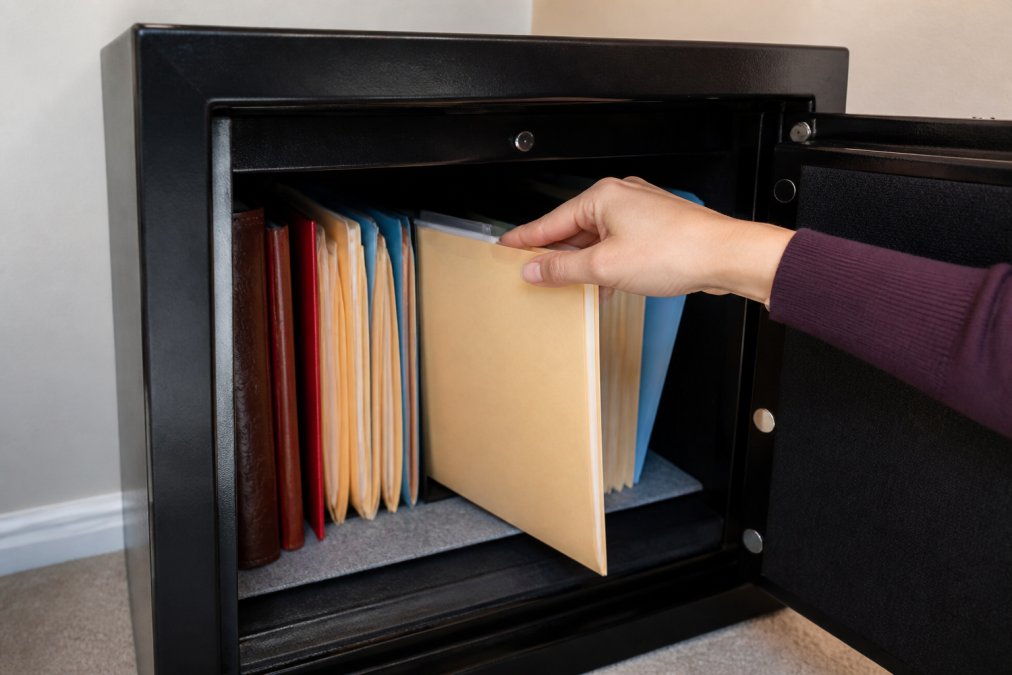
Prioritize capacity over the smallest option. A cramped safe encourages you to store documents elsewhere, defeating the purpose. Look for models with interior shelving or dividers to organize documents by category. Test the safe's opening mechanism quarterly to ensure it functions smoothly. Keep a copy of the combination or key in a separate secure location, not in the safe itself.
Safe Deposit Boxes at Banks
A safe deposit box at a bank provides secure, climate-controlled storage with professional oversight. However, safe deposit boxes have a critical limitation: access restrictions after death. Your executor may face delays accessing the box, sometimes requiring a court order.
Use safe deposit boxes as secondary storage for your most valuable originals, not as your primary legacy document system. Keep originals there, but maintain accessible copies in your home safe and digital backups in cloud storage. Designate a co-owner or authorized user on the box to simplify access after your death, and discuss this arrangement with your executor beforehand.
Acid-Free Folders and Archival Storage
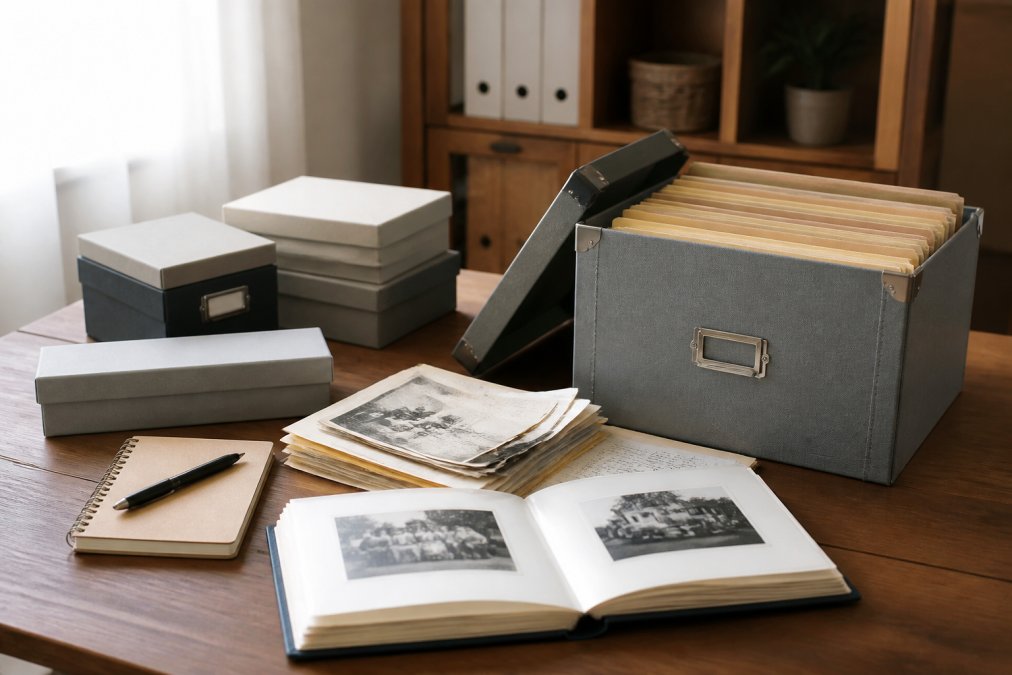
How you store documents matters as much as where. For long-term storage, use acid-free folders, archival boxes, and lignin-free sleeves to preserve documents for decades without degradation.
Label everything clearly with a permanent marker. Organize documents by category: vital records (birth certificates, marriage licenses, Social Security cards), legal documents (will, power of attorney, living will), financial records (bank statements, investment accounts, insurance policies), and healthcare directives (medical power of attorney, advance directives, organ donation wishes).
Store archival boxes in a cool, dry place, not a basement prone to flooding or an attic subject to temperature swings.
Digital Storage and Cloud Security for Legacy Assets
Digital documents and accounts now represent a significant portion of your legacy: email accounts, social media profiles, cryptocurrency wallets, digital photos, financial accounts, and online subscriptions all need to be inventoried and protected.
Encryption and Two-Factor Authentication
Any cloud storage for sensitive documents should employ encryption, which scrambles files into unreadable code that only someone with the correct password can decrypt. Most reputable cloud services encrypt files in transit and at rest.
However, encryption creates a catch-22: the more secure your system, the harder it is for your executor to access. Store non-sensitive documents (family photos, recipes, letters) in standard cloud storage that your executor can access with your account credentials. Store truly sensitive information (financial account passwords, medical records) in a separate encrypted vault that only your executor knows about.
Two-factor authentication adds a second security layer but can lock out your executor after your death. To solve this, maintain a separate document listing all accounts requiring two-factor authentication, along with backup codes generated during setup. Store this document in your secure vault, separate from account passwords.
Data Redundancy and Backup Protocols
The cloud is not a backup, it's a storage location. True redundancy means keeping copies in at least two separate locations:
- Primary copy: Cloud storage (Google Drive, Dropbox, OneDrive) for easy access
- Secondary copy: External hard drive stored in your home safe or safe deposit box
- Tertiary copy: A second cloud service (different company) for geographic redundancy
Set a schedule for backups. Every six months, verify that your backups actually contain the files you think they do. Open the backup drive. Log into the secondary cloud account. Confirm the files are there and readable.
Creating an Estate Planning Document Checklist
An estate planning document checklist ensures you've captured every critical piece of information your family will need, going beyond a legal will to include personal, financial, and healthcare decisions.
Vital Records and Legal Documents to Preserve
Vital records include birth certificates, marriage licenses, divorce decrees, and Social Security cards. Legal documents include your will, living will (advance directive), power of attorney, healthcare power of attorney, and trust documents.
A last will and testament specifies who inherits your property, who serves as executor, and who becomes guardian of minor children. However, a will only covers property in your name alone. Property held in joint tenancy, accounts with named beneficiaries (life insurance, retirement accounts), and assets in a trust bypass the will and go directly to the named beneficiary.
A living will documents your wishes about life-sustaining medical treatment if you become terminally ill. A healthcare power of attorney designates someone to make medical decisions on your behalf. A power of attorney for finances designates someone to manage your financial affairs if you become incapacitated.
Personal and Financial Records
Your executor needs access to personal and financial records including:
- Bank account information: account numbers, financial institutions, account types
- Investment accounts: brokerage statements, retirement accounts (401k, IRA), mutual funds
- Insurance policies: life insurance, homeowner's insurance, auto insurance, disability insurance
- Debt: mortgages, car loans, credit cards, personal loans
- Property ownership: deeds, titles, property tax records
- Business interests: documentation of ownership and succession plans
- Digital assets: email accounts, social media, websites, cryptocurrency, online subscriptions
- Personal wishes: funeral preferences, charitable giving intentions, letters to loved ones
Financial records should include account numbers and institution names, but NOT passwords (store those separately in an encrypted vault). Create a master inventory document listing every financial account, property, and digital asset you own, including the account number, institution name, account type, and approximate value. Update this inventory annually.
Organizing and Categorizing Your Personal Documents
Organization is the bridge between having documents and being able to find them. A chaotic pile of papers in a safe is almost as useless as having no documents at all.
Building an Organized Filing System
Organize documents by how your executor will search for them. Use these primary categories:
- Vital Records: Birth certificate, marriage license, Social Security card, passport
- Legal Documents: Will, living will, power of attorney, healthcare power of attorney, trust documents
- Financial: Bank statements, investment statements, insurance policies, tax returns
- Property: Deeds, titles, mortgage documents, property tax records
- Healthcare: Medical power of attorney, advance directives, organ donation wishes, healthcare preferences
- Digital Assets: List of email accounts, social media profiles, cryptocurrency wallets, online subscriptions
- Personal: Letters to family, funeral preferences, charitable giving intentions, life story
Use clear, consistent naming conventions. Instead of "misc_docs_2024.pdf," use "2024_Tax_Return_Federal.pdf" or "Bank_Statement_Chase_Dec2024.pdf." Physical files should be stored in labeled folders using acid-free materials. Digital files should be organized in a cloud folder structure that mirrors your physical system.

Document Inventory and Access Control
A document inventory is a master list of everything you've stored and where it's stored. Your inventory should include document name, category, physical location, digital location, access method, and why it matters.
This inventory document itself needs to be secured but accessible. Store the original in your home safe and a copy in your safe deposit box. Give your executor a copy in a sealed envelope labeled "Open in case of my death."
Access control means deciding who can see what. Your executor needs access to everything. Your spouse might need access to financial accounts but not medical directives. Create tiered access levels: full access (executor), partial access (spouse, adult children), and notification only (trusted friend who knows documents exist but can't access them).
Establishing a Document Retention Schedule
A document retention schedule clarifies what to keep permanently and what can be safely discarded.
What to Keep Forever vs. What to Discard
Keep forever: original will and legal documents, original property deeds and titles, birth certificate, marriage license, divorce decree, death certificates, adoption papers, military discharge papers, naturalization/citizenship documents, life insurance policies, retirement account beneficiary designations, trust documents, and letters and personal writings you want preserved.
Keep for a limited time, then discard: bank statements (3-7 years), credit card statements (1 year), utility bills (1 year), medical records (7 years after last visit), tax returns (7 years), pay stubs (1 year), and receipts (1 year for major purchases, 30 days for routine purchases).
If a document holds sentimental value, keep it.
Secure Document Destruction and Shredding
When discarding documents containing sensitive information, use a paper shredder. Cross-cut shredders are more secure than strip shredders. Alternatively, many communities offer secure document destruction services. Before shredding anything, verify it's truly no longer needed.
Emergency Access Protocols and Digital Inheritance
Your documents are only useful if the right people can actually access them when they need to.
Password Management and Executor Access
A password manager securely stores passwords under a single master password. Services like 1Password, LastPass, or Bitwarden encrypt all your passwords. Your executor needs only the master password to access everything.
Store the master password in a sealed envelope labeled "Open in case of my death" and give it to your executor or attorney. Some password managers offer "emergency contacts" features that notify a designated person and grant them access after a waiting period (usually 30 days) if you don't cancel the request.
Make a list of critical digital accounts your executor needs to access: email (primary account that can reset passwords for other services), cloud storage, financial institutions, insurance providers, social media, cryptocurrency wallets, and subscription services. For each account, include the username and the password manager where the password is stored.
Digital assets like cryptocurrency, NFTs, or online businesses require special attention. If you own cryptocurrency, your executor needs to know where the wallet is and how to access it. If you own a website or online business, they need login credentials and information about how the business generates income.
Communication Plans for Your Family
Have a conversation with your executor. Tell them where documents are stored, how to access each storage location, what the inventory document is and where to find it, who else knows about the documents, and when you last updated the documents. Update them annually, especially if you've moved documents or changed storage locations.
Create a sealed envelope labeled "Open in case of my death" that contains the location of all your documents, how to access each location, the inventory document, contact information for your attorney, accountant, and financial advisor, instructions for what to do immediately after your death, your funeral preferences, and a list of people to notify.
Also consider creating a personal letter to your family explaining your wishes in your own words. A will is a legal document; a personal letter is something your family will treasure.
Maintenance Schedules and Environmental Preservation
Documents don't maintain themselves. A legacy storage system requires regular attention.
Regular Audits and Updates
Schedule an annual audit of your legacy documents. During your annual audit, verify that documents are still stored in their designated locations, check that your inventory document is still accurate, test your password manager or access methods to ensure they still work, review your will and legal documents to see if anything needs updating, update your emergency access envelope with any new information, and verify that your executor still agrees to serve as executor.
Also review your beneficiary designations on insurance policies and retirement accounts. These override your will; if you name an ex-spouse as beneficiary and forget to change it, they'll inherit that account even if your will says otherwise.
Protecting Documents from Damage and Deterioration
Environmental conditions affect document preservation. For physical documents, store in a cool, dry place (65-70°F, 30-40% humidity), avoid basements (prone to flooding and mold) and attics (temperature swings), keep away from direct sunlight, use acid-free folders and archival boxes, and check periodically for signs of mold, water damage, or pest activity.
For digital documents, back up files to multiple locations, use cloud storage with automatic versioning, test backups regularly to ensure they're readable, migrate files to new formats if older formats become obsolete, and use encryption to protect sensitive files.
Organizing and protecting your legacy documents is one of the most valuable gifts you can give your family. When you've thoughtfully stored personal legacy documents and created clear access protocols, you spare your loved ones from chaos during an already difficult time. My Living Legacy Course provides a comprehensive framework beyond legal documents, helping you organize your story, wishes, and final arrangements through seven guided modules and over 420 reflective prompts. Rather than leaving your family to piece together your intentions from scattered documents, you create a complete legacy that informs and comforts them when it matters most.
Frequently Asked Questions
What's the safest way to store personal legacy documents?
Combine physical and digital storage. Use a fireproof, waterproof safe at home for originals of vital records, wills, and power of attorney documents. Keep encrypted digital copies in cloud storage with two-factor authentication. Store additional copies in a bank safe deposit box. This redundancy protects against fire, theft, and data loss. Ensure your executor or trusted family member knows where documents are stored and how to access them.
How do I create an estate planning document checklist for my family?
Start by gathering essential documents: last will and testament, power of attorney, medical directives, birth and marriage certificates, property deeds, insurance policies, and financial account information. Organize them by category (legal, financial, personal). Create a master inventory listing each document, its location, and who has access. Include passwords for digital assets and instructions for probate court filing if needed. Share this checklist with your executor and keep it updated annually.
Should I use digital legacy vault services or keep everything physical?
Use both methods together. Digital legacy vault services offer convenience, searchability, and easy sharing with beneficiaries, plus built-in encryption and data redundancy. Physical documents provide security if technology fails and serve as legal originals for probate court proceedings. Store originals in a fireproof safe or bank safe deposit box, maintain encrypted digital copies in a vault service, and keep a printed inventory in an accessible location for your family.
How often should I review my document retention schedule?
Review your document retention schedule annually or whenever major life events occur (marriage, divorce, home purchase, inheritance). Update your organized filing system to reflect new documents and remove outdated ones. Check that your digital storage passwords and access protocols remain current. Verify that your executor knows where everything is stored. Regular maintenance prevents documents from becoming lost or inaccessible when your family needs them most.