 how-to
Is an Online Legacy Course Secure? What You Need to Know
Table of Contents
- What Makes an Online Legacy Course Secure
- Data Privacy and Regulatory Compliance for Legacy Platforms
- How to Store Sensitive Legacy Documents Safely
- Digital Estate Planning Best Practices for Your Online Course
- Technical Security Features You Should Verify
- Legacy Planning Checklist for Families Using Online Platforms
- What Happens to Your Account After You Pass Away
- Frequently Asked Questions
Last Updated: August 18, 2026
What Makes an Online Legacy Course Secure
Security for an online legacy course centers on three core pillars: how your personal information is stored, who can access it, and what happens to your data over time. An online legacy course is secure when it combines encryption standards, clear data ownership policies, and transparent access controls. This means your sensitive information travels through protected channels, sits encrypted at rest, and remains under your control, not the platform's.
A polished interface tells you nothing about what's happening behind the scenes. What matters is whether the company has implemented industry-standard protections like HTTPS encryption, regular security audits, and compliance with data privacy regulations. The course uses encryption for data transmission and storage, maintains clear policies about data ownership, and ensures your information stays accessible to you and only those you authorize.
Data Privacy and Regulatory Compliance for Legacy Platforms
Data privacy for legacy platforms is governed primarily by the Family Educational Rights and Privacy Act (FERPA) if educational records are involved, and more broadly by state privacy laws and the Health Insurance Portability and Accountability Act (HIPAA) if health information is included. However, the strongest protection often comes from a platform's own privacy policy and data handling practices.
The Federal Trade Commission's guidance on consumer privacy emphasizes that companies must be transparent about what data they collect, how they use it, and how long they retain it. For legacy courses, this means the platform should clearly state whether it sells, shares, or monetizes your personal information. Privacy is something the company must actively choose to protect.
FERPA compliance becomes relevant if your course includes educational content or transcripts. If your legacy course platform stores educational materials, verify that it meets FERPA standards. Similarly, if you're documenting health information or end-of-life medical wishes, HIPAA compliance matters if any healthcare providers are involved in storing or accessing that data.
State privacy laws add another layer. California's Consumer Privacy Act (CCPA), Virginia's Consumer Data Protection Act (VCDPA), and similar regulations in other states give you the right to know what data is collected, request deletion, and opt out of certain data uses. A secure legacy platform respects these rights regardless of where you live. The practical takeaway: read the privacy policy carefully. Look for commitments around data encryption, third-party sharing restrictions, data retention limits, and your right to access or delete your information.
How to Store Sensitive Legacy Documents Safely
Storing sensitive documents within an online legacy course requires a multi-layered approach. First, encrypt sensitive files before uploading them to any platform. If you're uploading a PDF containing bank account numbers or Social Security information, encrypt it locally first, then upload the encrypted version.
Second, use strong, unique passwords for your course account. Password managers like Bitwarden or 1Password generate and store complex passwords, removing the trade-off between security and memorability.
Third, enable two-factor authentication (2FA) if the platform offers it. 2FA requires a second verification step beyond your password, typically a code sent to your phone or generated by an authenticator app. This single feature prevents the majority of account compromises.
Fourth, limit what you store online. Not every document needs to live in the course permanently. Consider keeping highly sensitive financial or legal documents in a separate secure location, a safety deposit box, physical safe, or encrypted external hard drive. Use the course to store narrative content, instructions, and documents that are meaningful but not immediately exploitable if compromised.
Finally, review your stored documents periodically. Remove outdated information, update contact details, and delete documents you no longer need.
Digital Estate Planning Best Practices for Your Online Course
Digital estate planning extends beyond your course itself to encompass all your online accounts, digital assets, and how your family accesses them after you pass away.
Start by creating a comprehensive inventory of your digital assets: email accounts, social media profiles, financial accounts, photo libraries, cryptocurrency wallets, and subscription services. For each, document the username, the recovery email, and any special access instructions. Store this inventory in a secure location your family can access, ideally in your course itself.
Next, establish a clear succession plan for digital access. Decide which accounts should be memorialized, deleted, or transferred. Facebook allows you to designate a "legacy contact" who can manage your profile after death. Google Inactive Account Manager lets you specify what happens to your Google account after a period of inactivity.
Document your wishes about your digital legacy explicitly. Write clear instructions: "Delete my email account," "Transfer my photo library to my daughter," or "Keep my social media profile active as a memorial." These instructions belong in your course, where they're discoverable and legally documented.
Consider using a digital executor, a trusted family member or professional who has the authority and knowledge to carry out your digital estate plan. Brief this person on your wishes and ensure they have access to your course and your digital asset inventory.
Finally, review your digital estate plan annually. Accounts change, passwords expire, and new services emerge. A living document that evolves with your life is far more useful than a static plan created once and forgotten.
Technical Security Features You Should Verify

When evaluating an online legacy course for security, look for specific technical features that indicate the platform takes protection seriously.
First, verify that the platform uses HTTPS encryption. Every page should display a padlock icon in your browser's address bar, and the URL should begin with "https://" not "http://". HTTPS encrypts data in transit, preventing someone on your WiFi network from seeing what you're uploading.
Second, ask whether the platform encrypts data at rest. This means your information is encrypted on the company's servers, not just during transmission. Even if a hacker breaches the servers, they cannot read your data without the encryption keys.
Third, check for regular security audits. A reputable platform conducts third-party security audits annually or more frequently. If a platform refuses to discuss security audits, that's a warning sign.
Fourth, verify the platform's incident response policy. What happens if there's a data breach? A responsible company has a plan: they'll notify affected users within a specific timeframe, explain what happened, and describe what they're doing to prevent recurrence.
Fifth, confirm that the platform does not store passwords in plain text. Your password should be hashed, converted into a one-way code that cannot be reversed.
Sixth, look for clear data ownership language. You should own your data. The platform should be a custodian, not an owner. If the company goes out of business or changes its terms, you should have the right to export your data and move it elsewhere.
My Living Legacy Course implements these technical safeguards as part of its core infrastructure, using encryption for data transmission and storage while maintaining clear policies about data access.
Legacy Planning Checklist for Families Using Online Platforms
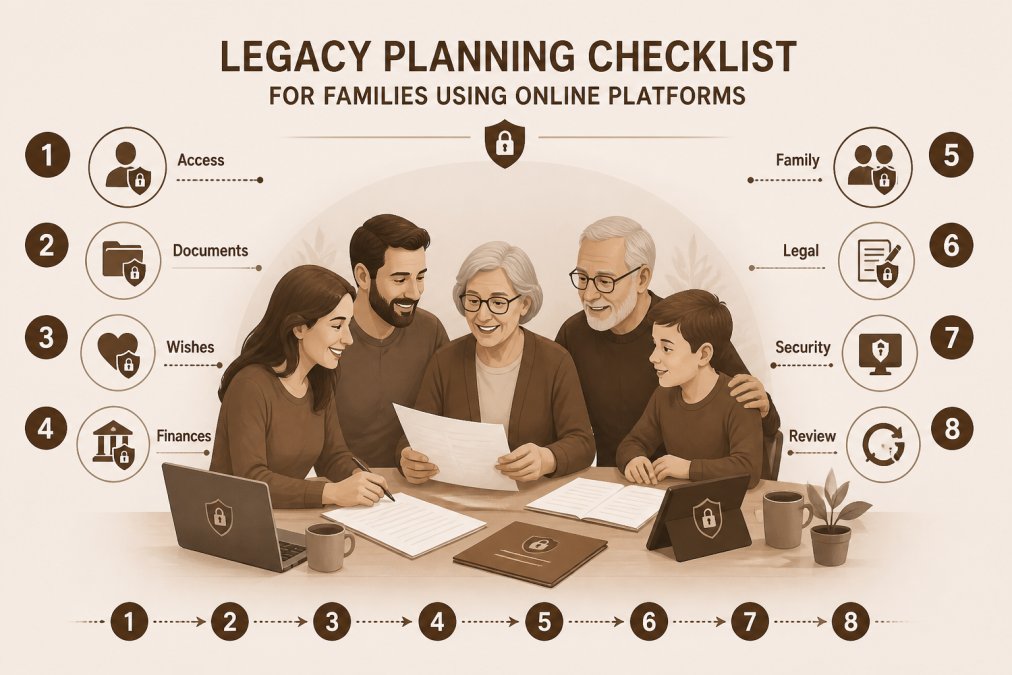
A legacy planning checklist ensures your family has everything they need when the time comes.
Essential Items to Document:
- Complete list of all online accounts with usernames and recovery information
- Instructions for accessing your legacy course (password, recovery email, authorized family members)
- List of financial accounts, insurance policies, and their locations
- Healthcare preferences and end-of-life medical wishes
- Funeral and burial preferences
- List of people to notify and their contact information
- Location of physical documents (will, deeds, certificates)
- Passwords for safe deposit boxes or home safes
- Digital asset instructions (social media, email, photo libraries)
- Names and contact information for your executor and healthcare proxy
- Explanation of your financial situation and any debts
- Instructions for pet care or dependent care
- Charitable or family giving instructions
- Sentimental items and who should receive them
- Stories, values, and life lessons you want your family to know
Establish a communication plan. Your family needs to know your legacy course exists and how to access it. Store access information in a sealed envelope with your attorney, a safe deposit box, or instructions to your executor.
Set a review schedule. Every two to three years, update your checklist. Change passwords, update contact information, and revise instructions as your circumstances change.
What Happens to Your Account After You Pass Away
The fate of your online legacy course account after your death depends on the platform's policies and the access instructions you've left behind.
Most reputable platforms have a process for account memorialization or transfer. Some platforms, like Facebook, allow you to designate a legacy contact who can manage your account after death. Others require a family member to submit a death certificate and proof of authority to access or close the account.
My Living Legacy Course is designed with lifetime access in mind. Once you've paid for the course, that access doesn't expire. However, your family will need to know how to access your account after you're gone. Document your login information and provide clear instructions to your executor.
Establish a succession plan for your account. Decide whether you want your family to have ongoing access to view and share your course materials, or whether you prefer the account to remain private and be closed after a certain period. These preferences should be documented in your will or in a separate letter of instruction left with your executor.
The key is making an explicit decision now and communicating it clearly. Ambiguity leads to conflict. Clarity leads to peace.
Organizing your life story and final wishes is one of the most meaningful things you can do for your family. The security of that information matters deeply. By understanding how data privacy works, verifying the technical protections in place, and establishing clear succession plans, you ensure your legacy is both preserved and protected.
My Living Legacy Course helps you organize your story, wishes, and final arrangements through seven guided modules and over 420 reflective prompts. With lifetime access and a focus on creating meaningful clarity for your loved ones, it serves as the companion to your will that helps your family understand not just what you're leaving behind, but why it matters. Your legacy deserves to be stored securely and accessed by those who need it most.
| Feature | What It Protects | Why It Matters |
|---|---|---|
| HTTPS Encryption | Data in transit | Prevents interception on public WiFi |
| Encrypted Storage | Data at rest | Protects against server breaches |
| Two-Factor Authentication | Account access | Prevents unauthorized login even with stolen password |
| Data Ownership Policy | Your information | Ensures you can access or export your data |
| Regular Security Audits | Platform integrity | Identifies vulnerabilities before exploitation |
| Incident Response Plan | Breach management | Defines how company handles security events |
Frequently Asked Questions
Is an online legacy course secure compared to storing documents in a physical safe?
Online legacy courses offer encryption and access controls that protect against physical theft, but require strong passwords and two-factor authentication. Physical safes protect against digital breaches but are vulnerable to fire, flood, and theft. The most secure approach combines both: store sensitive documents through an encrypted online legacy platform while keeping physical copies of legal documents in a safe deposit box or home safe. Reputable platforms comply with FERPA and data privacy standards to protect student information and personal data.
What security features should I look for in a legacy planning platform?
Verify that the platform uses end-to-end encryption, requires password protection, and offers two-factor authentication. Check whether the company complies with FERPA (Family Educational Rights and Privacy Act) and maintains clear data privacy policies. Look for platforms that specify how long they retain your information, whether they back up your data, and what happens to your account if you pass away. Ask whether the platform has independent security audits and what their incident response procedures are. Transparent policies about cybersecurity and student safety indicate a trustworthy provider.
How do I know if a legacy course platform complies with data privacy standards?
Request the platform's privacy policy and look for specific mentions of FERPA compliance, data encryption standards, and how they handle personal information. Reputable platforms clearly state their regulatory oversight and may provide a security whitepaper or compliance documentation. Check whether they have third-party security certifications and whether they allow you to download or export your data. Contact their technical support team directly to ask about their cybersecurity practices and how they protect sensitive legacy documents. Avoid platforms that are vague about data storage, retention, or privacy practices.
What should I include in a legacy planning checklist before enrolling in an online course?
Create a checklist that includes: verifying the platform's accreditation and regulatory oversight, confirming lifetime access terms and any hidden costs, testing the user interface on the device you'll use, reviewing the curriculum to ensure it covers your specific needs, checking parental involvement options if family members will access your legacy, confirming data privacy and FERPA compliance, understanding what happens to your account after death, and planning how you'll share access information with trusted family members. Also verify that the platform's educational resources align with your goals and that technical support is available if you need help navigating the learning management system.