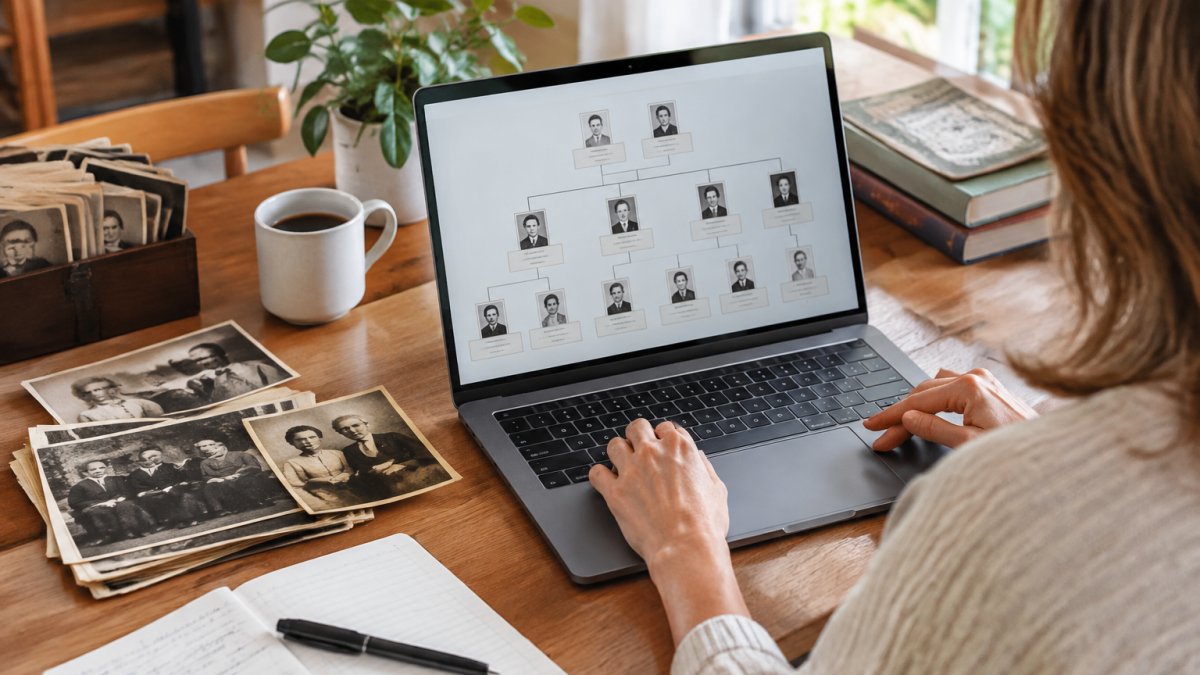
 comparison
Best Software for Documenting Family Genealogy
Last Updated: November 5, 2026
Quick Summary
The best software for documenting family genealogy keeps sources attached to each fact, not just names attached to a tree. We rank RootsMagic first among paid desktop options at $39.95, while Gramps is the free choice that still handles citations. Both store your file locally and export clean GEDCOM.
- We scored each program on source citations, export and portability, storage location, and sharing controls.
- RootsMagic offers per-fact citations with reusable templates and keeps your file on your own computer.
- Gramps is free but asks you to configure citation templates yourself.
- Family Tree Maker and Family Tree Builder are strongest when you already use Ancestry or MyHeritage.
- Back up weekly to an external drive and keep a second copy off-site.
Table of Contents
- How We Evaluated Genealogy Software
- Comparison Table: Genealogy Software at a Glance
- RootsMagic: Desktop Tree Building With Ancestry and FamilySearch
- Family Tree Maker: Sync Your Ancestry Tree to Your Computer
- Family Tree Builder: MyHeritage's Tree Software
- Free Genealogy Software That Still Handles Sources
- Offline Genealogy Software for Privacy and Control
- Family Tree Software for Printing a Book Your Relatives Can Hold
- Where Software Stops and Your Story Begins
- Frequently Asked Questions
How We Evaluated Genealogy Software
The best software for documenting family genealogy is the one that keeps your sources attached to your people, not just your names attached to a tree. We built our shortlist around that single test. This guide compares programs on evidence handling, portability, privacy, and cost, because a family tree without proof is only a diagram. Because software preserves the evidence behind a family tree, journals for documenting memories can add the personal stories that names and dates alone leave out.
We scored each option on four things: how well it records source citations, whether you can export your data cleanly, where the files actually live, and how easily relatives can share the work. If you are new to this, our guide on how to create a family tree for beginners walks you through building your first tree step by step. The National Genealogical Society's guidance on standards treats citation as a core research skill rather than an afterthought, and we agree.
Below, we show you exactly how each program handles those four areas, including the ones that fall short.
What Matters When Documenting Family History
Documentation beats decoration. A tree that lists a birth year without saying where the year came from cannot be checked, corrected, or trusted by the next person who inherits it.
Prioritize these in order:
- Source citations tied to each fact, not to the whole person
- Export options, ideally GEDCOM, so your work survives a change of software
- Storage location, whether local, cloud, or both
- Sharing controls so relatives can view without editing

Comparison Table: Genealogy Software at a Glance
Most rankings stop at platform and price. That tells you what a program costs, not whether it will still hold your evidence in ten years. The table below uses the same four criteria we score throughout this guide, source citation handling, export and portability, storage location, and sharing controls, so you can compare programs on the things that decide whether your research survives.
| Software | Platform | Citation handling | Export / portability | Storage | Sharing controls | Starting price |
|---|---|---|---|---|---|---|
| RootsMagic | Windows, Mac | Per-fact source citations with reusable source and citation templates; supports evidence-style source lists | GEDCOM import and export; full local backup files | Local file on your computer; optional cloud sync via Ancestry/FamilySearch connections | Share exported GEDCOM or reports; living-person privacy flags in exports | $39.95 |
| Family Tree Maker | Windows, Mac | Per-fact citations; syncs citations with the linked Ancestry tree | GEDCOM import and export; local backup files | Local file synced to an Ancestry tree | Controlled mainly through Ancestry tree privacy settings | Not stated in supplied research, check publisher site |
| Family Tree Builder | Desktop, MyHeritage | Citation fields tied to MyHeritage records; citation depth depends on the linked record | GEDCOM import and export | Local file plus MyHeritage cloud tree | MyHeritage site privacy settings and family-site invitations | Not stated in supplied research, check publisher site |
| Gramps | Desktop (Windows, Mac, Linux) | Configurable source, citation, and repository templates; supports evidence and confidence fields | GEDCOM import and export; native XML backup; report and book output | Local file; no mandatory cloud account | Share exported GEDCOM, reports, or a read-only copy; living-person filter in exports | Free |
The table makes the trade-off visible: you pay for convenience or you pay with setup time. Gramps costs nothing but asks you to configure citation templates yourself. RootsMagic sits at the low end for paid desktop software and keeps the file on your machine. Family Tree Maker and Family Tree Builder are strongest when you already live inside Ancestry or MyHeritage, because their citation and sharing behavior is tied to those platforms' privacy settings rather than to the desktop file alone.
Watch out: a low sticker price is not the same as low long-term cost. If a program cannot export clean GEDCOM with citations intact, switching later can cost you weeks of re-entry, a far larger expense than the difference between free and $39.95.
RootsMagic: Desktop Tree Building With Ancestry and FamilySearch
RootsMagic is desktop genealogy software for Windows and Mac that connects to Ancestry and FamilySearch while keeping your tree on your own computer. That combination is why we rank it first among the paid desktop options.
What most reviews miss is the value of local storage: your research records stay on your machine, and you control backups.
Best for: researchers who want offline genealogy software with live connections to the big record sites. Skip if: you need a mobile app for entering data at a relative's kitchen table.
Family Tree Maker: Sync Your Ancestry Tree to Your Computer
Family Tree Maker is the option Ancestry users ask about most, largely because of its tree syncing. If your genealogical research already lives on Ancestry, syncing gives you a local copy you can work on without a browser.
The supplied research does not state pricing, so check the publisher's site before you commit. One honest limitation: syncing is the headline feature, and if you do not use Ancestry, much of the appeal disappears.
Best for: committed Ancestry subscribers who want a desktop backup of their tree. Skip if: your records live in FamilySearch or on paper.
Family Tree Builder: MyHeritage's Tree Software
It suits people already inside the MyHeritage ecosystem, where record matching and tree building sit in one place.
For everyone else, the case is weaker. The research does not detail platform compatibility or pricing, and a tree builder tied to one company's records raises the portability question. Export your data before you invest years in it.
Best for: existing MyHeritage subscribers. Skip if: you want a neutral tool that is not tied to a single record provider.
Free Genealogy Software That Still Handles Sources
If you are comparing documentation tools more broadly, our roundup of apps for documenting life stories covers options for capturing relatives' own accounts alongside the records.
Best for: researchers on a budget who want full control of their data. Skip if: you want guided setup and phone support.
Offline Genealogy Software for Privacy and Control
Offline genealogy software stores your family history on your own hardware, which matters most when living relatives are named in your files. That is a different privacy model from a web-based tree, where the default is usually a hosted account with its own sharing settings.
Here is the practical comparison competitors tend to skip. Local storage gives you control over who can read the file, but it also makes you solely responsible for backups, encryption, and device security. Cloud storage gives you automatic backup and easier sharing, but your data sits behind an account whose privacy defaults you may not have reviewed. Neither model is automatically safer; they fail in different ways.
Living-person privacy is the part most guides gloss over. Genealogy files routinely contain birth dates, addresses, and maiden names of people who are still alive.
A workable routine most practitioners settle into:
- Keep the master file on one primary computer, not on a shared drive.
- Back up on a schedule you will actually keep, weekly is common, to an external drive.
- Keep a second copy off-site, whether that is a different physical location or an encrypted cloud folder.
- Export a GEDCOM with living-person filtering before sending anything to relatives.
- Review account privacy settings on any connected record site, because those settings override what the desktop file implies.
Watch out: an external drive stored in the same house as your computer protects against a disk failure but not against fire, flood, or theft. The off-site copy is the one that saves years of research.
Privacy is not paranoia here. Names, birth dates, and addresses of living people are exactly the data you do not want scattered across services you cannot audit. Our guide to securing family heirlooms and historical documents walks through the practical steps for protecting paper and digital records alike.
Family Tree Software for Printing a Book Your Relatives Can Hold
Family tree software for printing produces charts and narrative reports you can bind into a book, and the printed version is what most relatives will actually read. Choose software with flexible chart output and clean report formatting.
Photos are the hard part. Before you assemble a keepsake book, you will want the images organized, and our guides to archiving family photos and digitizing old home movies cover both. A printed tree with captioned photographs gets read. A database does not.
Where Software Stops and Your Story Begins
Software records who was born when. It does not record what your grandmother sounded like when she laughed, or why your father left the job he trained for. That gap is where families feel the loss most.
My Living Legacy Course is a companion to your will: seven guided modules and more than 420 reflective prompts that capture your story, your wishes, and your final arrangements in your own words. One customer put it simply: leave your legacy in speech to text daily and you will love it. Lifetime access means you work at your own pace.
Frequently Asked Questions
What is the best way to document family genealogy?
Start with what you already know and record each fact with its source: a census year, a birth certificate, a family Bible page. Enter names, dates and relationships into genealogy software, then attach the document or citation to each fact. The habit that separates a reliable tree from a guess is writing down where every detail came from, including the ones your aunt told you at Thanksgiving.
Which is better, RootsMagic or Family Tree Maker?
Both are desktop programs that connect to Ancestry, so the choice comes down to workflow. RootsMagic runs on Windows and Mac, offers a free download, and keeps your tree on your own computer. Family Tree Maker is the better fit if your research already lives on Ancestry and you want two-way syncing. RootsMagic tends to suit researchers who want to work offline and connect to FamilySearch as well. Try the free RootsMagic download before committing.
Is there free genealogy software for building a family tree?
Gramps is a free, open-source desktop program that Cornell University Library's genealogy guide describes as customizable. It runs on your own machine, so your data stays with you, and it handles sources, notes and multiple family lines. The trade-off is a steeper learning curve and less polished printing than paid options. RootsMagic also offers a free download, though the available information does not specify which features that free version includes.
What genealogy software works offline and keeps family data private?
Offline genealogy software stores your tree on your own computer rather than a company's servers. The catch is that you are responsible for keeping copies, ideally on an external drive plus a second location. If privacy of living relatives matters to you, a desktop program with a manual backup routine is the safer default.
Which family tree software is best for printing?
For a bound family history rather than a wall chart, plan on exporting to PDF and checking page breaks before you send it to a printer. Whichever program you use, print a small test run first. Charts that look fine on screen often need resizing once names run three generations deep.
The records will survive in someone's software. The stories will not survive unless someone writes them down. Get started with My Living Legacy Course and give your family both the tree and the voice behind it.